
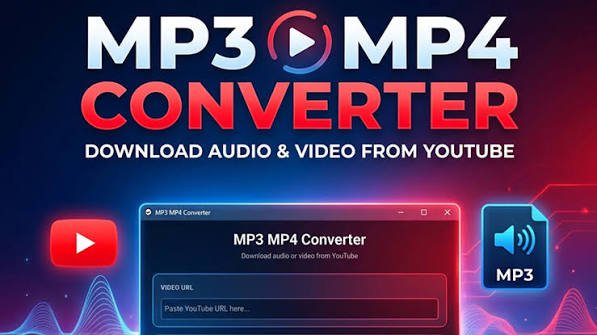
YouTube Video Download — MP4 to MP3: A Practical Guide
Introduction
In today’s digital world, video content is everywhere. From educational tutorials and podcasts to music performances and helpful guides, YouTube has become a major source of online information and entertainment. But occasionally, you might want to extract audio from a video or save content for offline usage.This is where the concept of YouTube video download — MP4 to MP3 becomes useful.
Understanding the difference between video and audio formats can help you choose the right option for your needs while keeping quality, compatibility, and copyright considerations in mind.
What Does YouTube Video Download — MP4 to MP3 Mean?
The phrase YouTube video download — MP4 to MP3 generally refers to downloading a video in MP4 format or converting its audio into an MP3 file.
MP4 vs. MP3
MP4 is a multimedia container commonly used for videos.It may include music, video, subtitles, and other information. Because of its broad compatibility, MP4 is frequently used for storing and playing video content on computers, smartphones, tablets, and other devices.
MP3, on the other hand, is an audio format designed specifically for sound. Converting a video into MP3 removes the visual component and keeps the audio track. This can be useful when you are interested only in spoken content, music you have permission to use, lectures, interviews, or other audio-based material.
Why Convert a Video to MP3?
There are several practical reasons someone may prefer an audio file instead of a complete video.
Smaller File Size
Compared to video files, audio files are typically substantially smaller. If you only need the spoken or musical portion of a video, an MP3 can save storage space on your device.
Convenient Offline Listening
An audio file can be convenient for listening while commuting, exercising, studying, or performing other activities where watching a screen is unnecessary. It may also be easier to organize a collection of permitted audio content.
Useful for Educational Content
Students and professionals may find audio versions helpful for lectures, interviews, tutorials, and presentations that they have permission to download. Listening to educational material can make it easier to review information without repeatedly watching the original video.
How Does MP4 to MP3 Conversion Work?
The basic process is relatively simple. A conversion tool takes a compatible video file and separates its audio stream from the visual component. The audio is then encoded into the selected format, such as MP3.
Typical Conversion Steps
Obtain a video file that you are legally allowed to download or convert.
Open a reliable video-to-audio conversion tool.
Upload or select the MP4 file.
Choose MP3 as the output format.
Select the desired audio quality when available.
Start the conversion process.
The audio file that is produced should be saved to your device.
The exact process can vary depending on the software or service being used.
Choosing the Right Audio Quality
Audio quality matters when converting MP4 to MP3. Higher bitrate settings can preserve more audio detail but usually create larger files. Lower bitrates produce smaller files but may reduce clarity.
For spoken-word content, moderate audio quality is often sufficient. Music and detailed recordings may benefit from higher-quality settings. Choosing an appropriate balance helps you avoid unnecessarily large files while maintaining useful sound quality.
Copyright and Responsible Downloading
Before downloading or converting YouTube content, it is important to consider copyright and the platform’s terms. Not every online video is available for unrestricted downloading, copying, or redistribution.
The safest approach is to use content that you created yourself, content explicitly offered for download, or material for which you have the necessary permission or rights. Downloading copyrighted material without authorization may violate the creator’s rights or applicable laws.
Tips for a Better Conversion Experience
Use Trusted Tools
Choose reputable software or services and be cautious with websites that display excessive advertisements, request unnecessary permissions, or make suspicious download claims.
Check the Output
After conversion, play the MP3 file to make sure the audio is complete and the quality is acceptable. File names and metadata can also be organized to make your collection easier to manage.
Keep Your Files Organized
Create folders based on categories such as education, podcasts, tutorials, or personal projects. Good organization makes offline content easier to find later.
Conclusion
Youtube mp3 download can be a practical solution when you need audio rather than an entire video. Understanding the differences between MP4 and MP3, selecting suitable quality, and using reliable conversion methods can make the process more convenient.
Most importantly, responsible downloading should always come first. By using content you own or have permission to download and convert, you can enjoy the flexibility of offline audio while respecting content creators and copyright rules.









0 Comments