
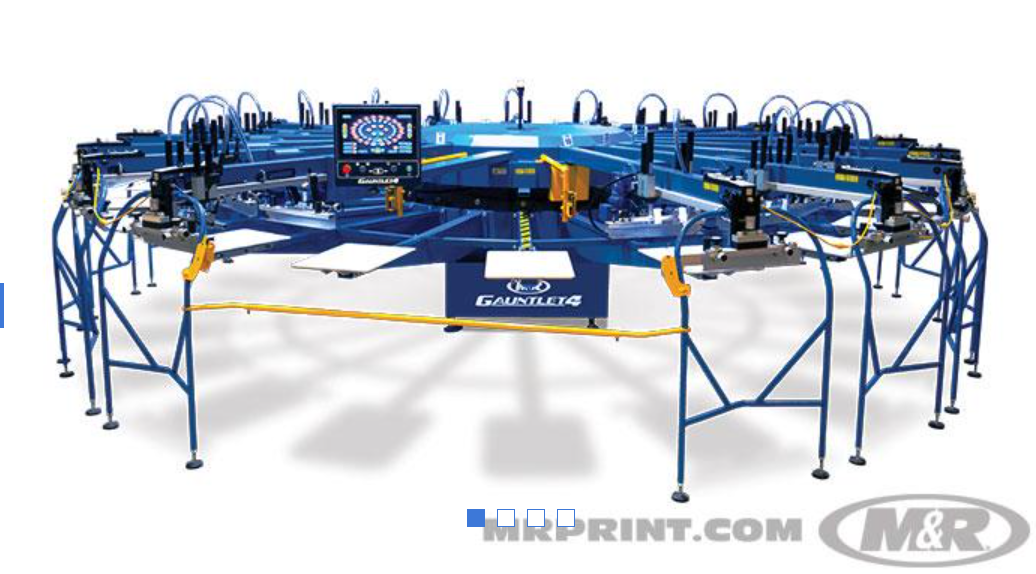
What to Know Before Buying Screen Printing Equipment for Sale
Are you ready to expand your shop but unsure where to start?
Many buyers rush into a major equipment purchase, then realize the machine does not match their production goals, floor space, or order mix. That mistake costs time, money, and energy. Before you commit to screen printing equipment for sale, you need a clear way to evaluate what actually matters.
This post breaks down the key buying factors, common mistakes, and practical questions that help you choose equipment with more confidence and less guesswork.
Start With the Real Buying Questions
Buying print equipment is not only about finding a machine that looks impressive. Instead, it starts with understanding what your shop needs every day.
- Think about your current order volume.
- Look at your average run size.
- Consider your turnaround times, staffing, available space, and budget.
Together, those factors shape the right purchase more than any sales pitch ever will.
A small shop with short runs needs different tools than a growing contract printer. Likewise, a manual setup may still make sense for one business, while another needs automation immediately. Because of that, you should define your workload before you compare features. Otherwise, every option starts to sound useful.
You also need to think beyond today. If growth is part of your plan, buy with that in mind. However, do not overbuy. A machine that lies underused becomes a costly burden. Instead, look for equipment that fits your current workflow and supports your next stage.
Match Equipment to Your Production Reality
Every shop runs differently. Some focus on local school orders. Others handle fashion brands, promotional apparel, or contract printing. Therefore, your buying decision should reflect the actual jobs you produce most often.
Start with these questions:
- How many shirts do you print in a normal week?
- How many colors appear in your average job?
- Do you need faster setup times?
- Do you plan to scale within the next year?
- Can your current team handle more advanced equipment?
For example, if you handle small custom orders, flexibility matters more than raw speed. On the other hand, if you produce repeat runs with tight deadlines, automation may improve both consistency and output. In that case, features like faster indexing, better registration, and smoother material handling can make a real difference.
Also, think about your workflow as a whole. A press alone will not solve every problem. You need the right dryer, proper exposure tools, registration support, and enough room for operators to work safely. As a result, smart buyers assess the full production line, not just the centerpiece.
Screen Printing Equipment: What Deserves Your Budget
When you start comparing screen printing equipment, the smartest move is to separate must-haves from nice-to-haves. That keeps you focused and prevents feature overload.
- Invest in building quality. A solid frame, dependable controls, and stable operation matter more than flashy extras.
- Look at registration accuracy. Poor registration slows production and wastes garments.
- Check the ease of use. If settings feel complicated, your team will lose time on every run.
Here is a simple comparison table to guide your thinking:
Buying Factor | Why It Matters | What to Check |
Production Speed | Affects daily output and deadlines | Cycles per hour, setup time |
Print Consistency | Protects quality across runs | Registration system, stability |
Expandability | Supports future growth | Add-ons, station options |
Maintenance Needs | Impacts downtime and repair costs | Access to parts, service design |
Operator Ease | Improves daily workflow | Controls, training curve |
Space Fit | Prevents layout issues | Footprint, loading area |
In addition, ask how quickly you can get parts and service support. Even the best equipment needs maintenance. So, support access matters just as much as machine performance. A cheaper option can cost more later if repairs take too long.
Do Not Ignore Floor Space, Power, and Workflow
Many buyers focus on print speed and forget practical setup needs. Later, they discover the machine barely fits, strains their electrical setup, or disrupts movement across the shop. That creates stress from day one.
So, measure your floor carefully. Then, leave room for loading, unloading, maintenance access, and safe operator movement. Also, confirm your electrical capacity before you buy. Equipment installation should not turn into an expensive surprise.
Moreover, study how jobs move from the press to the dryer to finishing. A cramped workflow slows your team and increases mistakes. In contrast, a clean layout supports faster handling and smoother production. Even a strong machine can underperform in a bad setup.
Training matters too. If your team needs weeks to feel comfortable, productivity drops early. Therefore, choose equipment that matches both your shop’s skill level and its production goals. Simpler systems often produce better outcomes when the team uses them well.
Finally, think about reliability under pressure. Busy periods expose weak points quickly; because of that, durability, consistent controls, and manageable maintenance routines should stay high on your list.
The Final Words
The right equipment purchase should make your shop stronger, not more complicated. That happens when you look at real production needs, workflow demands, available space, operator comfort, and long-term value together.
Buying screen printing equipment for sale becomes much easier when you stop chasing features and start asking better questions. A smart decision supports smoother output, steadier quality, and room to grow without forcing constant workarounds.
Before you commit, compare your options carefully, inspect the full production process, and write down your must-haves. That extra effort now can save you from costly mistakes later and help you build a setup that truly works for your business.


0 Comments