
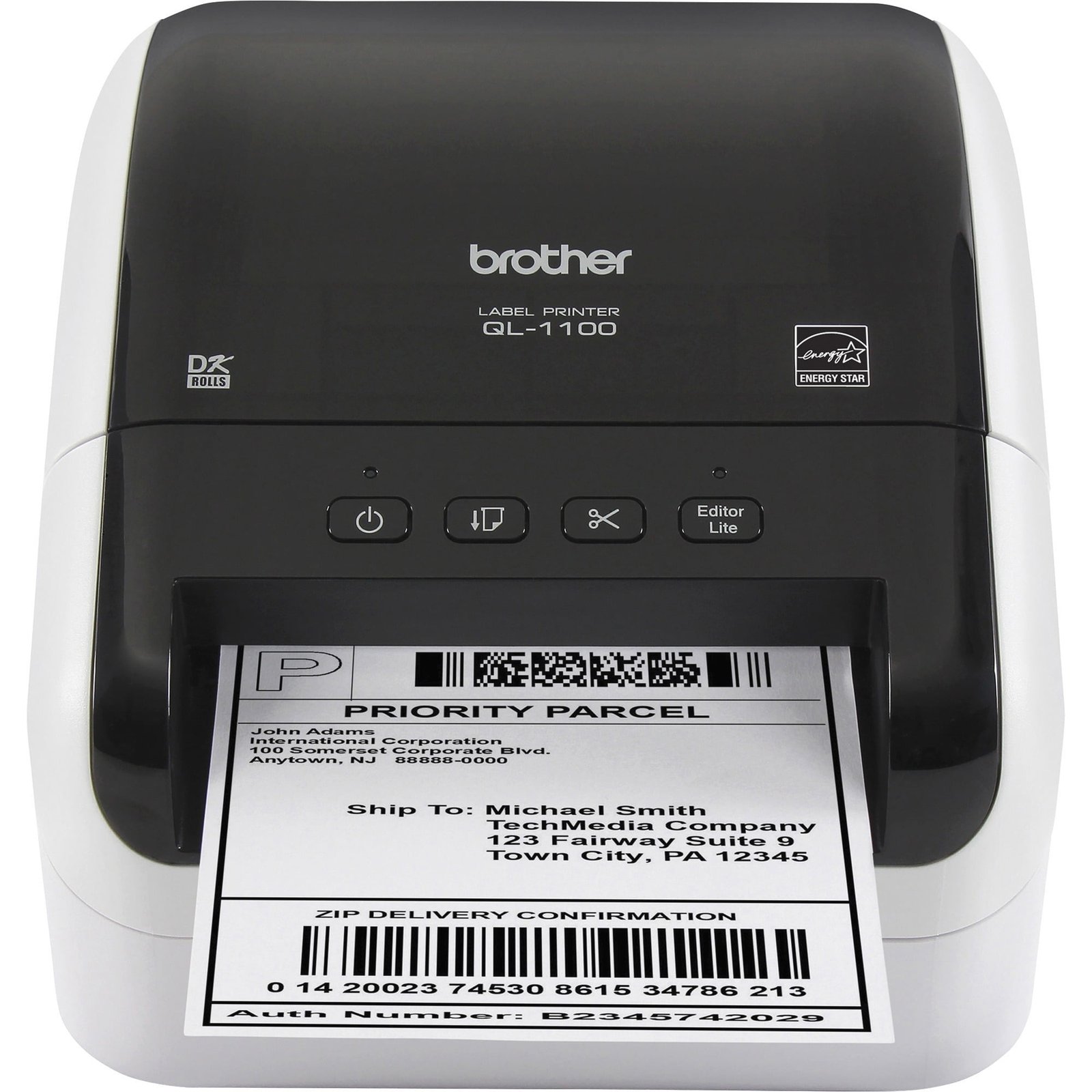
The Ultimate Guide to Label Printers: Optimizing Efficiency for 2026 and Beyond
In the fast-paced world of modern commerce, the humble label is often the unsung hero of the supply chain. Whether it’s a shipping barcode that ensures a package reaches a doorstep in London, a nutritional panel on a gourmet snack, or a tracking tag on a high-end luxury watch, labels are the vital data link between products and consumers. As we move deeper into 2026, the technology behind these labels—the Label Printer—has evolved from a simple peripheral into a strategic business asset.
Choosing the right label printer is no longer just about "printing a sticker." It’s about durability, integration, and meeting the rigorous demands of global logistics and digital-first retail. In this comprehensive guide, we will explore the landscape of label printing technology, from desktop units for startups to industrial powerhouses, and help you determine which solution will drive your business forward.
1. Understanding the Core Technologies: Thermal vs. Digital
The first step in selecting a label printer is understanding the two primary technologies that dominate the market: Direct Thermal and Thermal Transfer.
Direct Thermal Printing
Direct thermal printers use heat-sensitive media that blackens when it passes under the thermal printhead. These printers do not require ink, toner, or ribbons, making them incredibly simple to operate and maintain.
Best For: Short-term applications like shipping labels, visitor badges, and deli receipts.
Pros: Low cost per label, no consumables other than the labels themselves, and compact designs.
Cons: The labels are sensitive to heat, light, and abrasion. Over time, the image may fade, or the entire label may darken if exposed to high temperatures.
Thermal Transfer Printing
Thermal transfer printers use a heated ribbon to melt ink onto the label material. This method is the gold standard for durability.
Best For: Long-term product identification, outdoor signage, and asset tracking.
Pros: Exceptional longevity. By matching the right ribbon (wax, resin, or wax-resin) with the right substrate (paper, polyester, or polypropylene), you can create labels that withstand chemicals, moisture, and extreme temperatures.
Cons: Higher initial setup cost and the need to manage ribbon supplies.
2. Categorizing Your Needs: Desktop, Industrial, and Mobile
Not all workloads are created equal. Label printers are generally categorized by their "duty cycle"—the volume of printing they are designed to handle daily.
Desktop Label Printers
Ideal for small businesses, boutiques, and office environments, desktop printers are compact and user-friendly. They usually handle 4-inch wide rolls and are perfect for companies printing a few hundred labels per week. In 2026, these units have become "smarter," often featuring Wi-Fi connectivity and smartphone app integration for on-the-fly design.
Industrial Label Printers
For warehouses, manufacturing plants, and high-volume e-commerce hubs, industrial printers are essential. These "workhorses" are built with rugged metal frames and are designed for 24/7 operation. They offer faster print speeds (up to 14 inches per second) and can accommodate larger media rolls, reducing the downtime required for changeovers.
Mobile and Portable Printers
With the rise of "on-the-spot" labeling in retail and healthcare, mobile printers have surged in popularity. These battery-powered devices allow workers to print price markdowns or specimen labels right where the work is happening, eliminating the need to walk back and forth to a central station.
3. Key Features to Look for in 2026
When evaluating label printers today, several technical specifications will dictate the quality and efficiency of your output:
Print Resolution (DPI): Most shipping labels require 203 DPI (dots per inch). However, if you are printing small fonts, intricate logos, or high-density 2D barcodes (like those used in electronics), you should opt for 300 or even 600 DPI to ensure scannability.
Connectivity: Modern environments demand more than just a USB port. Look for Ethernet for network stability, Wi-Fi for flexibility, and Bluetooth for mobile pairing.
Media Versatility: Ensure your printer can handle various materials. For companies like
AI Diagnostics: The latest high-end models now feature AI-integrated sensors that can predict when a printhead is about to fail or when media is running low, preventing costly downtime.
4. The Industry Impact: From Retail to Healthcare
Label printers serve different masters depending on the sector.
E-commerce & Logistics: In 2026, "last-mile" delivery is everything. Speed and barcode accuracy are the top priorities. Printers that support "linerless" labeling (labels without a backing sheet) are gaining traction here because they reduce waste and allow for more labels per roll.
Manufacturing: Here, the focus is on compliance. Labels must meet GHS (Globally Harmonized System) standards for chemicals or UL standards for electronics. Thermal transfer is the non-negotiable choice for these harsh environments.
Healthcare: Accuracy saves lives. From wristbands to blood vial labels, healthcare printers must produce high-resolution, smudge-proof text that can survive sterilization processes and refrigeration.
5. Maintenance and Long-Term ROI
A label printer is an investment. To maximize your Return on Investment (ROI), regular maintenance is required. The most common failure point is the printhead. Dust and adhesive residue can build up, leading to "voids" in the print.
Pro-Tip: Use a cleaning pen every time you change a roll of labels or ribbon. This simple 10-second habit can double the life of your printhead.
6. Conclusion: Making the Right Choice
The "best" label printer isn't the most expensive one; it’s the one that aligns with your specific volume, durability requirements, and software ecosystem. As businesses continue to digitize their operations, the bridge between your digital database and your physical product—the label—must be reliable.
Whether you are a local retailer needing simple price tags or a global enterprise requiring complex industrial integration, understanding the nuances of DPI, thermal technology, and connectivity will ensure your labels—and your business—stay on track.







0 Comments